Facts table
A table of product facts, e.g. nutrients per daily dose or nutrition per 100 g.
What it looks like
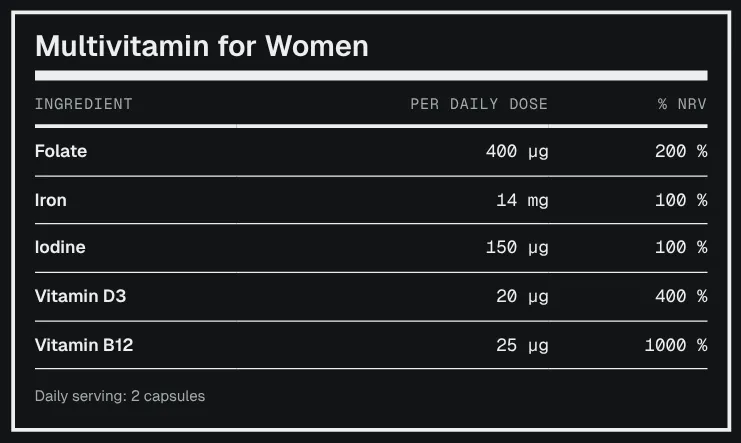
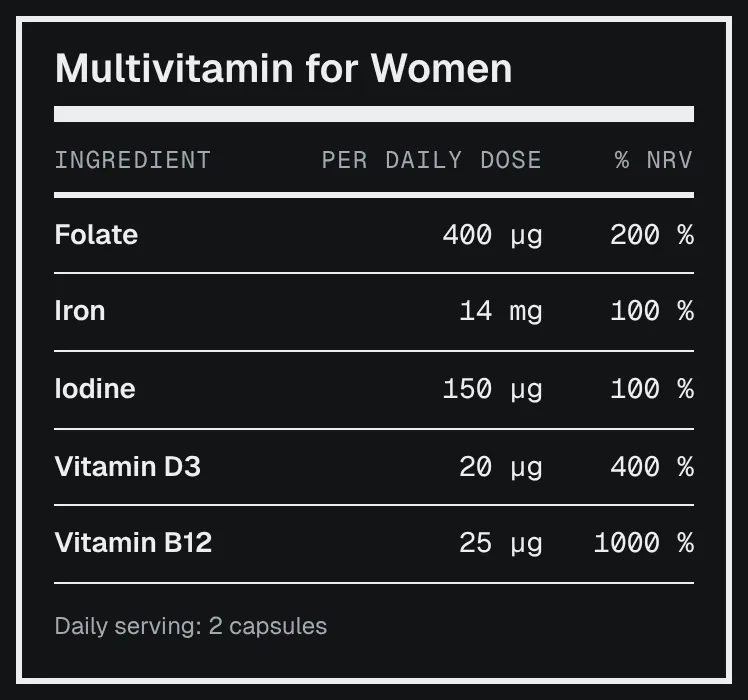 (Show larger)
Marked in the picture
The numbers in the computer picture show where each setting appears.
- 1 = Heading
Example from the demo store Nordform.
Where do I find it?
- Online Store
- Themes
- Customize
- Choose the page at the top: “Home page”
- Add block
- Product: facts
- Facts table
This block shows data of the current product and only works on product pages. For a product on other pages, use Featured product.
How to set it up
Facts table
Shown with default values. Fields that only appear after another setting is changed are folded away below.
Table type
6 options
- Supplements (amount · % NRV)
- Food (per 100 g · per serving)
- Pet food (analytical constituents)
- Feeding guide (weight · amount)
- Composition (ingredient · share or function)
- Custom columns
Sets the heading, column headers and footnote. The rows stay the same.
Marker 1 Heading
Empty: default of the table type. Text in double square brackets is highlighted, e.g. [[refill]].
Column header 1
Composition: empty headers use the defaults Ingredient · Share · Function. Custom columns: shown as entered.
Only shown when “Table type” is “Custom columns” or “Composition (ingredient · share or function)”.
Column header 2
Only shown when “Table type” is “Custom columns” or “Composition (ingredient · share or function)”.
Column header 3
Empty: no third column.
Only shown when “Table type” is “Custom columns” or “Composition (ingredient · share or function)”.
Footnote
Empty: default of the table type (e.g. NRV explanation, reference intake). Text in double square brackets is highlighted, e.g. [[refill]].
Roll in numbers when first visible
Once per page view. Skipped with “Reduce motion” and without JavaScript; the values stay the same.
Rows (if the metafield is empty)
One row per line: Name | Value | third column (optional). Start a line with - to indent it.
Data source (change only for custom metafields)
Metafield: rows (list of metaobjects)
Format namespace.key. Find it under Settings → Custom data.
Metaobject fields: label, amount (second column), nrv (third column), indent (optional: ingredient with field name).
More fields when “Table type” is “Composition (ingredient · share or function)” (2)
Data source (change only for custom metafields)
Source
2 options
- Facts table metafield (rows)
- Text metafield (list, e.g. INCI)
Metafield: ingredient list (text)
Single- or multi-line text, e.g. custom.inci. Entries separated by commas or line breaks; the order stays as entered.
Only shown when “Table type” is “Composition (ingredient · share or function)” and “Source” is “Text metafield (list, e.g. INCI)”.
Tips
- The “Table type” sets heading, column titles and footnote.
- Without a metafield, enter the rows directly: name | value | third column. A - at the start indents the row.