Quantity tiers
Pack sizes or quantity discount, with a price per tier.
What it looks like
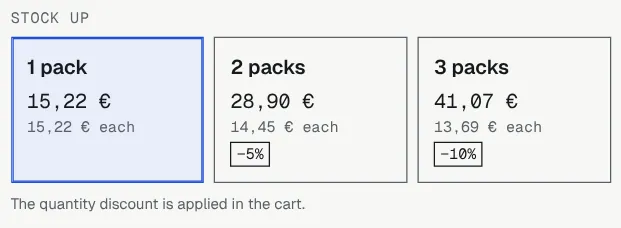
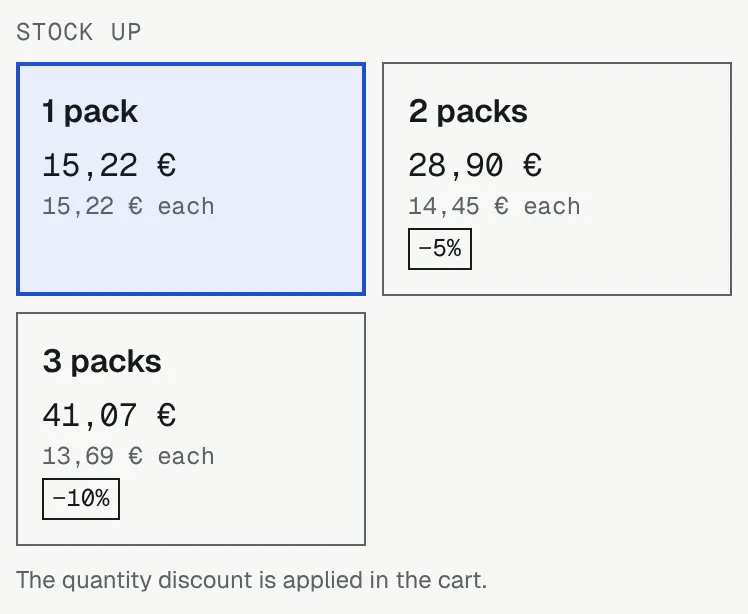 (Show larger)
Example from the demo store Nordform.
Where do I find it?
- Online Store
- Themes
- Customize
- Choose the page at the top: “Products › Default product”
- Add block
- Product: buying
- Quantity tiers
This block shows data of the current product and only works on product pages. For a product on other pages, use Featured product.
How to set it up
Quantity tiers
Shown with default values. Fields that only appear after another setting is changed are folded away below.
Tier type
Default: Pack sizes (variants)
2 options
- Pack sizes (variants)
- Quantity discount
Heading
empty
Text in double square brackets is highlighted, e.g. [[refill]].
Variant option
empty
e.g. Pack size. Empty: the last option.
Only shown when “Tier type” is “Pack sizes (variants)”.
More fields when “Tier type” is “Quantity discount” (1)
Tiers
Default: 1 | 0
3 | 0
6 | 0
One tier per line: quantity | discount in %. Create the matching automatic discount in Shopify.
Tips
- One tier per line: quantity | discount in %.
- Create the discount in Shopify as an automatic discount.