Profile scales
Scales such as scent, texture or strength, e.g. 3 out of 5.
What it looks like
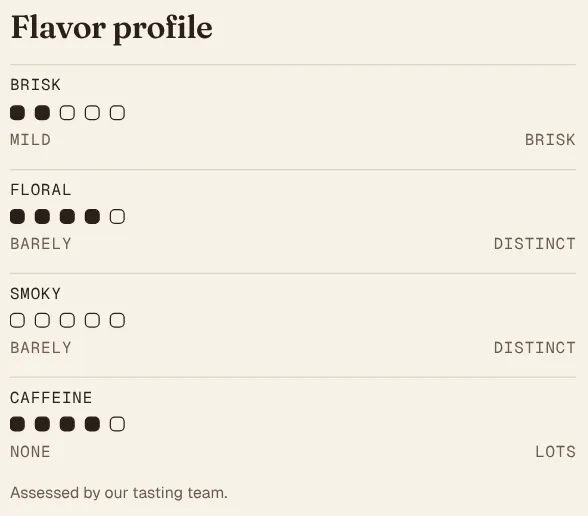
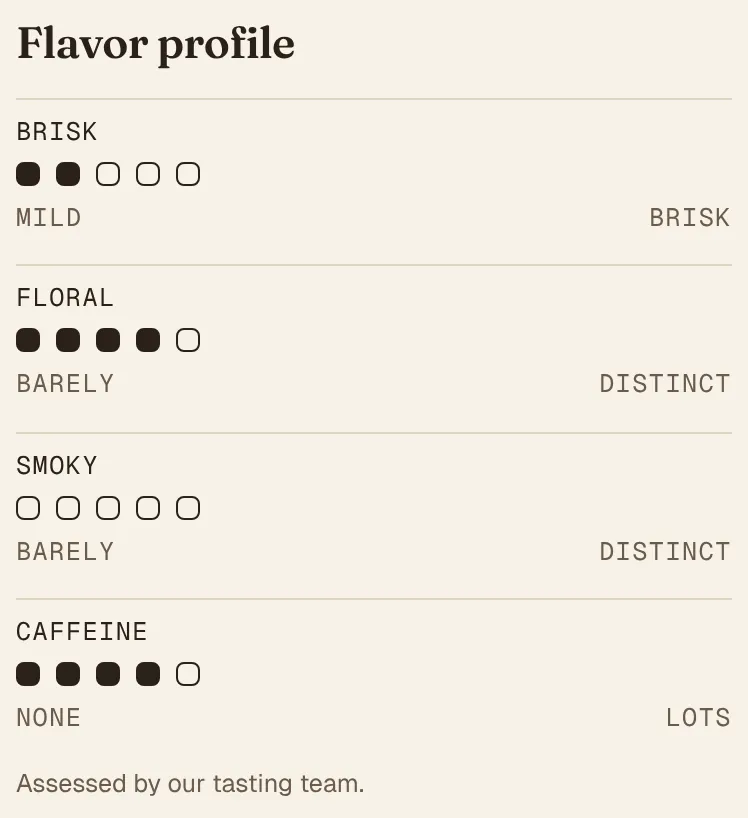 (Show larger)
Marked in the picture
The numbers in the computer picture show where each setting appears.
- 1 = Heading
Example from the demo store Kessel & Blatt.
Where do I find it?
- Online Store
- Themes
- Customize
- Choose the page at the top: “Products › Default product”
- Add block
- Product: facts
- Profile scales
This block shows data of the current product and only works on product pages. For a product on other pages, use Featured product.
How to set it up
Profile scales
Shown with default values. Fields that only appear after another setting is changed are folded away below.
Marker 1 Heading
Text in double square brackets is highlighted, e.g. [[refill]].
Heading level (SEO)
4 options
- H2 – Section
- H3 – Subsection
- H4 – Minor subsection
- Normal text
Only shown when “Heading” is filled in.
Style
3 options
- Boxes
- Dots
- Bar
Show value as number (3/5)
Note
Optional, e.g. “Rated by our team”. Text in double square brackets is highlighted, e.g. [[refill]].
Product
Empty = product of the page. A selected product shows its values on any page, e.g. next to “Featured product”.
Data source (change only for custom metafields)
Metafield (namespace.key)
Empty = theme settings › Product data › “Metafield: profile scales” (default custom.profile). If the product has values there, they replace the entries of this block.
Steps for metafield values
Applies when a value names no steps (e.g. “3” instead of “3/5”).
Formats: JSON list, e.g. [{"label": "Acidity", "value": 2, "left": "mild", "right": "bold"}], or text with one line per property: Label | value | left | right, e.g. Texture | 4 | light | rich. Value also as 3/5 or 3.5.
Can contain other blocks (for example heading, text, button).
Tips
- If the product has values in the metafield, they replace the entries in the block.