Rating stars
Stars with the average and number of reviews.
What it looks like
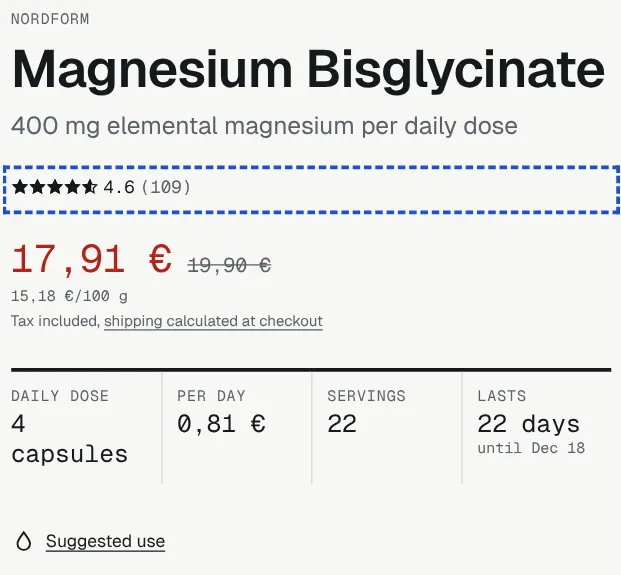
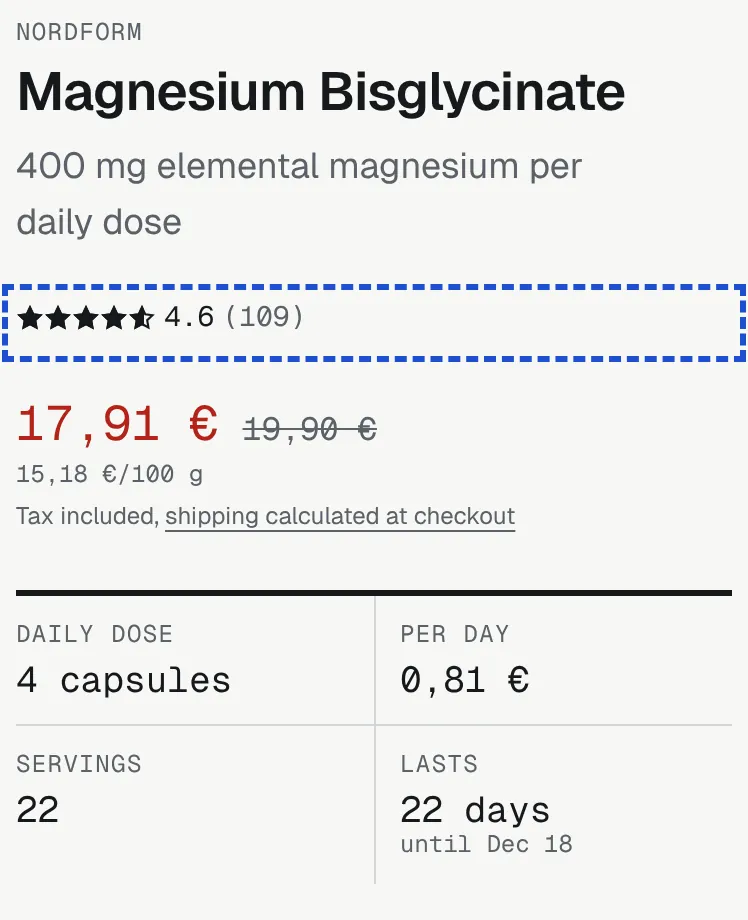 (Show larger)
Marked in the picture
The numbers in the computer picture show where each setting appears.
Example from the demo store Nordform.
Where do I find it?
- Online Store
- Themes
- Customize
- Choose the page at the top: “Products › Default product”
- Add block
- Product: content
- Rating stars
This block shows data of the current product and only works on product pages. For a product on other pages, use Featured product.
How to set it up
Rating stars
Shown with default values. Fields that only appear after another setting is changed are folded away below.
Stars from the standard metafields reviews.rating and reviews.rating_count that review apps fill. No app scripts needed. Hidden without reviews.
Appearance
Marker 1 Show number (e.g. 4.6)
Default: On
Show number of reviews
Default: On
Link to reviews
Reviews section anchor
empty
ID of the app block with the reviews on this page, e.g. reviews. Empty = stars without a link.
Tips
- The values come from a reviews app. Without reviews nothing shows.
- Enter the “Reviews section anchor” to make the stars lead to the reviews.