Key figures
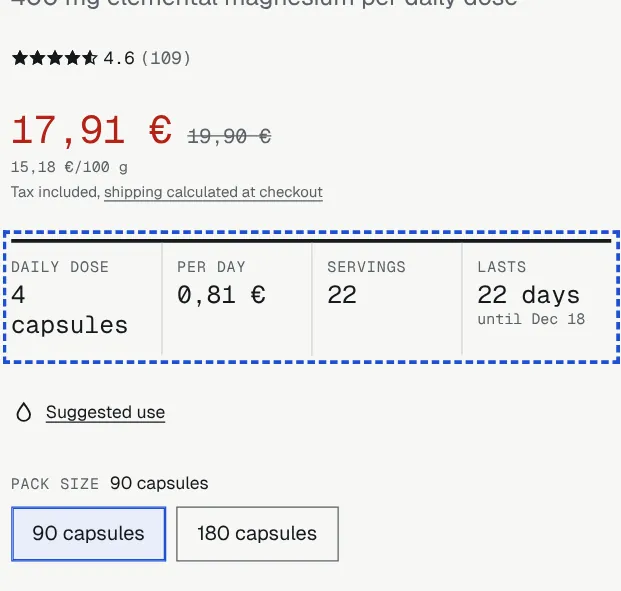
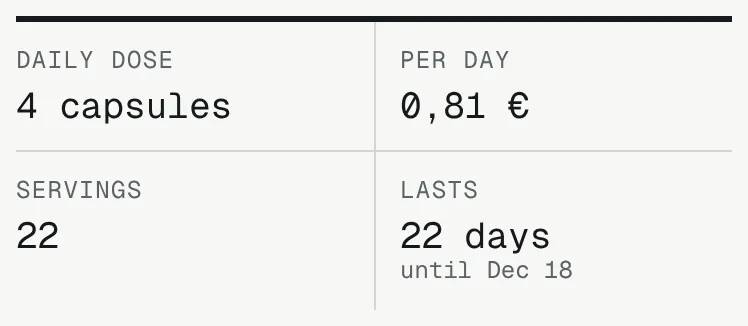
Key figures such as serving, servings, price per day and supply duration.
What it looks like
 (Show larger)
Example from the demo store Nordform.
Where do I find it?
- Online Store
- Themes
- Customize
- Choose the page at the top: “Products › Default product”
- Add block
- Product: content
- Key figures
This block shows data of the current product and only works on product pages. For a product on other pages, use Featured product.
How to set it up
Key figures
Shown with default values. Fields that only appear after another setting is changed are folded away below.
Serving, servings and price per day or serving come from the metafields in Theme settings → Product data. Add up to two more figures here, also connected to a metafield. A value like “3/5” is shown as a scale.
Show price per day or serving
Default: On
Only shown when “Metafield: servings per pack” is filled in.
Show supply duration (“Lasts 30 days – until …”)
Default: On
Only shown when “Metafield: servings per pack” is filled in.
Additional key figure 1
Label (e.g. Strength)
empty
Additional key figure 2
Label (e.g. Contents)
empty
More fields when “Label (e.g. Strength)” is filled in (1)
Additional key figure 1
Value (e.g. 250 ml or 3/5 for a scale)
empty
More fields when “Label (e.g. Contents)” is filled in (1)
Additional key figure 2
Value (e.g. 250 ml or 3/5 for a scale)
empty
Tips
- The values come from metafields. You choose which ones under Theme settings › Product data.
- Up to two custom values are possible.