Store locator
Your stores with map, search and list.
What it looks like
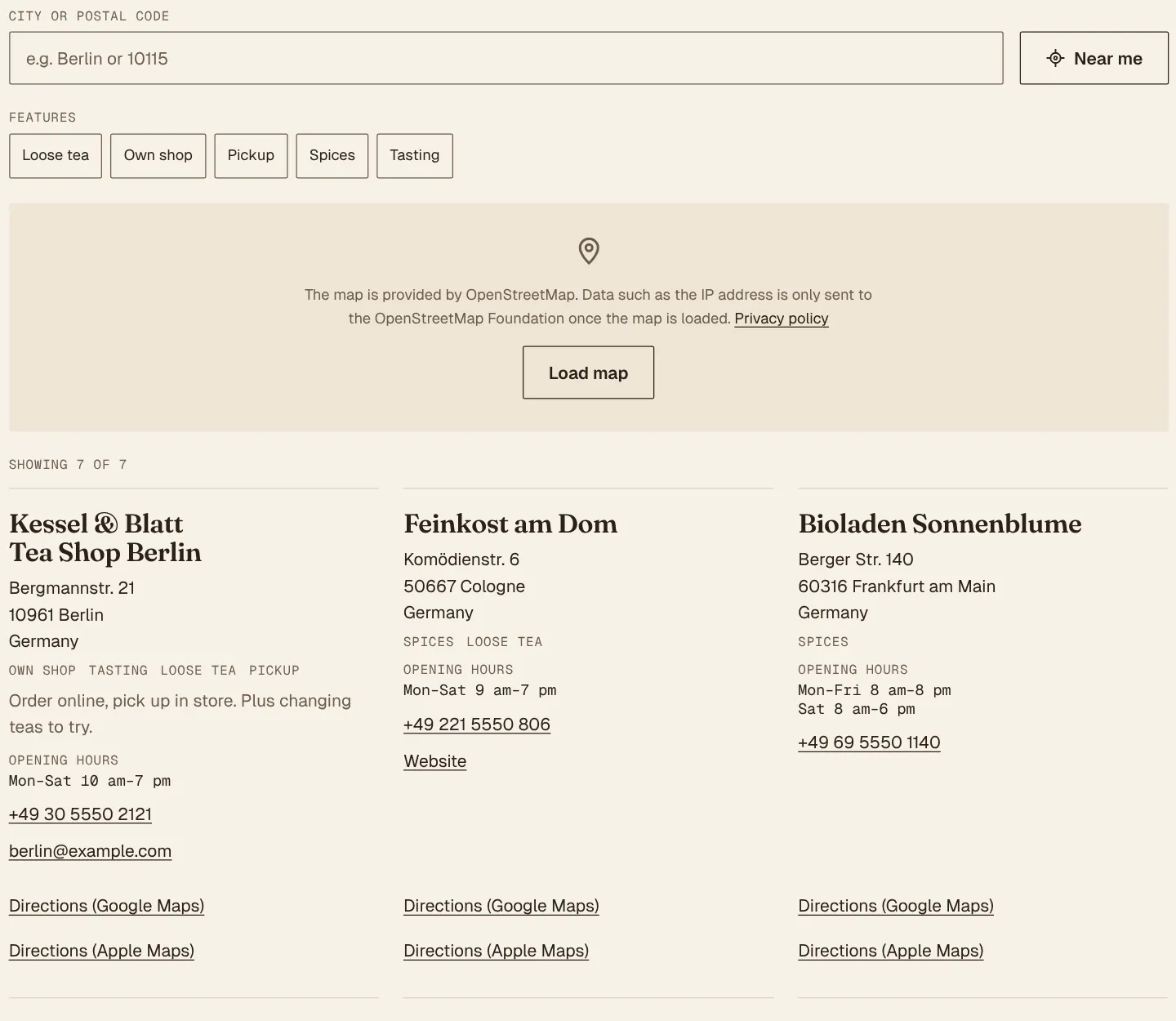
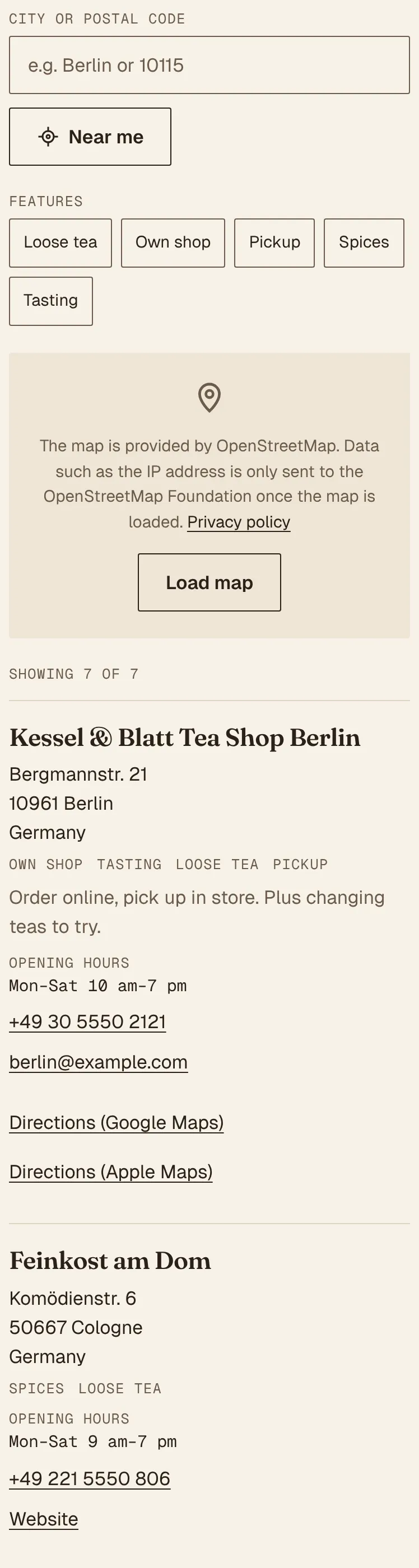 (Show larger)
Example from the demo store Kessel & Blatt.
Where do I find it?
- Online Store
- Themes
- Customize
- Choose the page at the top: “Pages › Default page”
- Add block
- Locations
- Store locator
How to set it up
Store locator
Shown with default values. Fields that only appear after another setting is changed are folded away below.
Shows metaobjects of the type “Location” (store_location): shops, refill stations, stockists. Definition and fields: theme documentation, “Locations”. Up to 250 entries.
Layout
Default: Stacked
2 options
- Stacked
- Map alongside
“Map alongside” places the map next to the search and list when there is enough room (from about 900 px).
Space between parts
Default: Medium
5 options
- Extra small
- Small
- Medium
- Large
- Extra large
For more space at one spot, add a Spacer block between two parts.
Can contain other blocks (for example heading, text, button).
Tips
- “Map alongside” puts the map next to the search and list when there is enough room.