Cart: summary
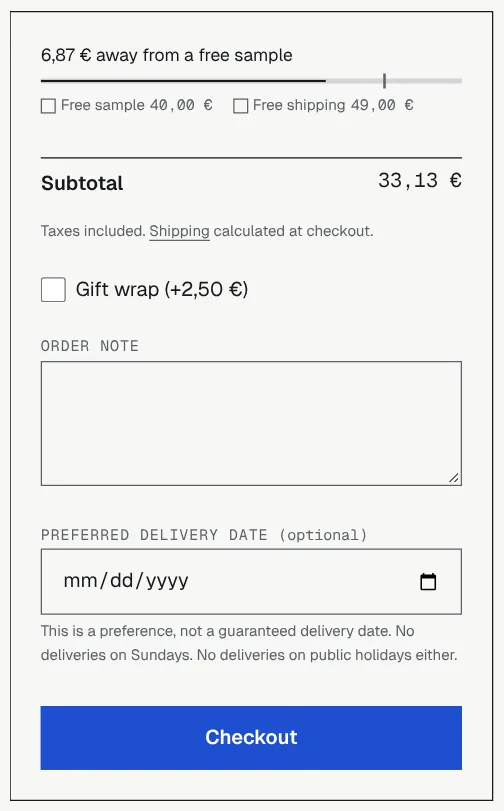
Subtotal and checkout, plus progress bar, gift wrap and order note.
What it looks like
 (Show larger)
Example from the demo store Nordform.
Where do I find it?
- Online Store
- Themes
- Customize
- Choose the page at the top: “Cart”
- Add block
- Page templates
- Cart: summary
This block belongs to the “Cart” template. Elsewhere it shows nothing or only a note in the editor.
How to set it up
Cart: summary
Shown with default values. Fields that only appear after another setting is changed are folded away below.
Show order note
Default: Off
Show free sample
Default: On
Collection, threshold and number under theme settings › Cart › “Free sample”.
Gift wrap (product)
Select product
Create a “Gift wrap” product with a price (no shipping, not in collections). The cart then shows a toggle; customers write the card message in the order note.
Show dynamic checkout buttons
Default: On
Tips
- Set the tiers of the progress bar under Theme settings › “Cart”.
- For gift wrap, create a product “Gift wrap” with a price.