Cart: items
The items in the cart with quantity, subscription switch and optional recommendations.
What it looks like
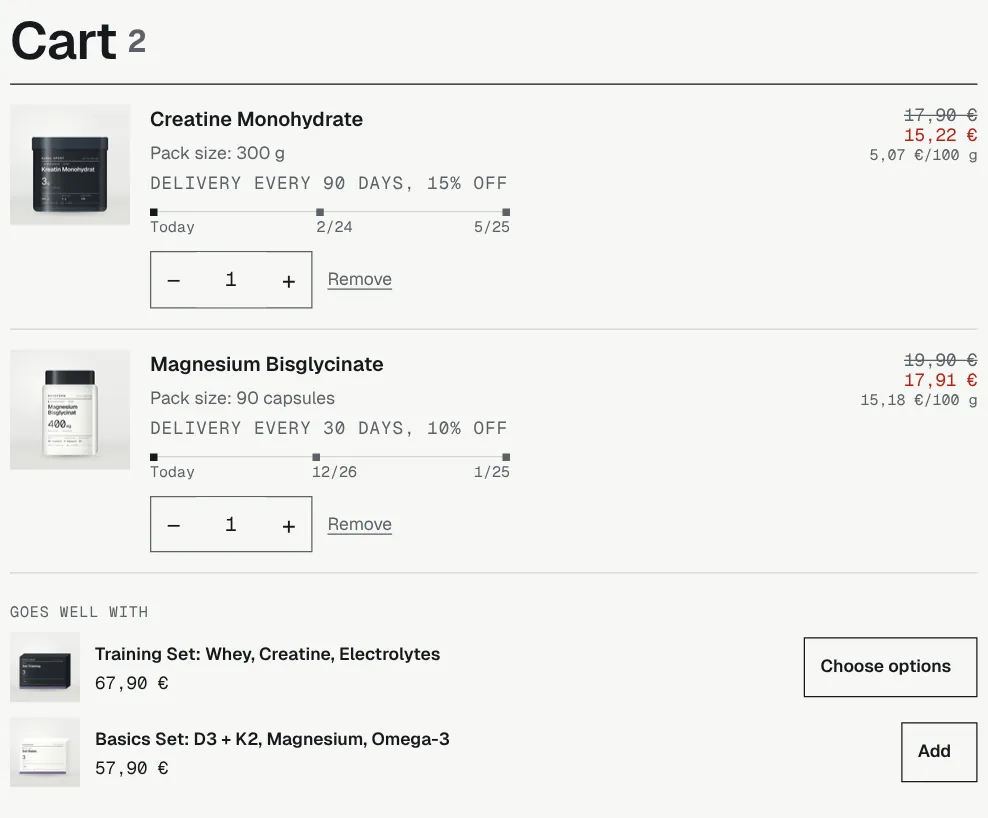
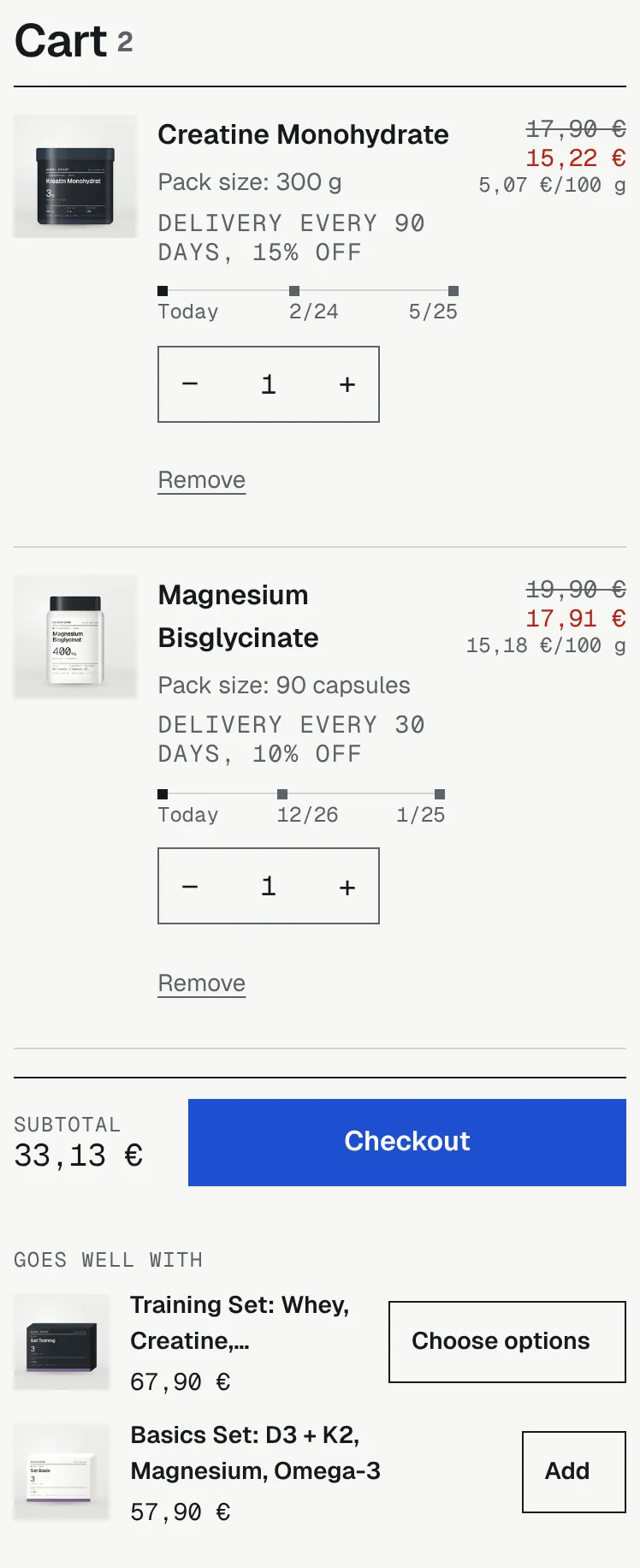 (Show larger)
Example from the demo store Nordform.
Where do I find it?
- Online Store
- Themes
- Customize
- Choose the page at the top: “Cart”
- Add block
- Page templates
- Cart: items
This block belongs to the “Cart” template. Elsewhere it shows nothing or only a note in the editor.
How to set it up
Cart: items
Shown with default values. Fields that only appear after another setting is changed are folded away below.
Lists the items in the cart with title and quantity selector. Belongs on the cart page.
Show recommended products
Default: On
“Goes well with” below the items. Source and number: Theme settings › Cart.
Suggestions when empty
Select collection
Shows up to four products from this collection when nothing was found or the cart is empty.
Tips
- “Show recommended products” shows “Goes well with”. Set source and number under Theme settings › Cart.
- “Suggestions when empty” shows up to four products from a collection when the cart is empty.